BallEngine
Start free

Phase Bloom:
Every ball keeps its own beat

A dozen balls leave together, drift into waves and groups, and all land together again when the countdown hits zero.
Play the preview

In development0 creators want this next

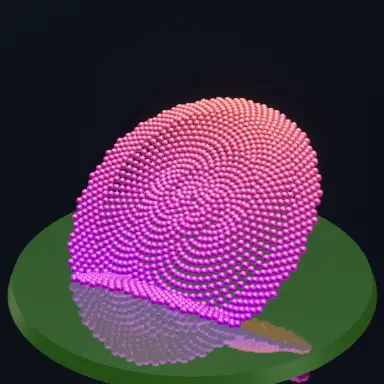
A frame from Phase Bloom
Open the studio to run this mode live.

Phase Bloom is being built right now

The engine, the physics and the look are done enough to watch. What is not finished is everything around them: the settings, the presets and the export path. So we shipped it as a preview instead of sitting on it.

The order is decided by these votes rather than by us, and the most-voted modes go first. If this is the one you want, say so.

What you can do now
Open it in the studio and watch a full run, with sound, exactly as it stands today.
What is held back
Settings, randomize and export. The preview runs on our defaults so every viewer judges the same version.
When it ships
The most-voted unfinished mode is the one we take next.

What Phase Bloom does

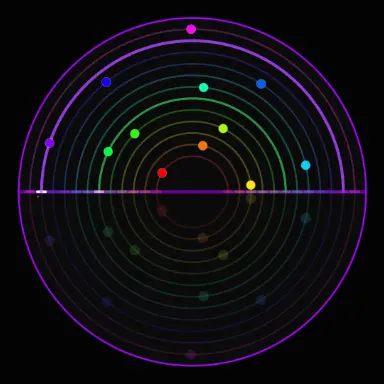
A dozen balls on their own lanes, each keeping its own beat. They leave together as one chord, drift into waves, and all land together again when the countdown hits zero.

Phase Bloom is a polyrhythm you can watch. Twelve lanes sit inside the arena, half circles over a floor or full rings, with one ball on each. Every ball makes a whole number of trips per cycle, and each lane makes one more trip than the lane inside it.

So the balls leave as one line and one chord. Within seconds they spread into a travelling wave, then split into groups, and the notes thicken into a shimmer. At the end of the cycle every ball lands on the start line at the same instant: a full chord and a blast.

A countdown over the arena says how long until that moment, which gives the viewer a reason to stay to the end. Then the next cycle starts, so the video loops with no seam.

How a run plays out

The exact sequence the engine runs in this mode, from the first frame to the moment the run resolves.
  1. 1.

    One ball per lane

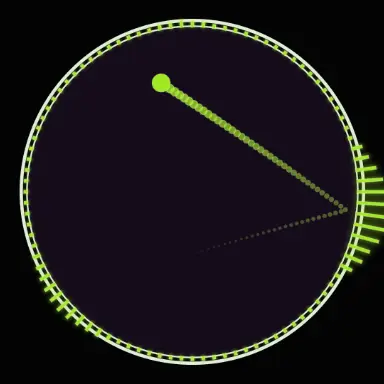
    Each lane carries one ball. On half circles the ball runs over the top and bounces on the floor at both ends; on full rings it rings each time it crosses the line at the top and the bottom.

  2. 2.

    Every lane keeps its own beat

    The slowest lane makes 3 trips in 30 seconds on the defaults, the next 4, the next 5, up to 14. Each bounce plays a note, so each lane is a steady pulse at its own tempo.

  3. 3.

    The beats drift apart

    Because the tempos differ, the balls spread into waves. At half the cycle they form two groups, at a third three groups, and the music moves through the same patterns.

  4. 4.

    Everyone lands together

    When the countdown reaches zero, every lane has finished a whole number of trips, so every ball hits the start line on the same frame. The chord sounds, a blast fires, and the cycle starts again.

Every control in Phase Bloom

These are the settings this mode adds on top of the shared physics, visual, audio, and export controls. Names match the studio sidebar exactly.

Lanes

  • Lane shape
  • Lanes
  • Innermost lane
  • Lane width
  • Show lanes
  • Hit marks
  • Floor reflection

Lane shape is the biggest look choice. Half circles over a floor are the classic polyrhythm; full circles give a round, orbiting piece.

Rhythm

  • Time until they line up (sec)
  • Slowest lane trips
  • Extra trips per lane
  • Fastest lanes
  • Countdown
  • Blast when in sync
  • Sync glow

Time until they line up sets the length of one cycle, and the panel shows how many trips the lanes make in it. More trips mean faster balls and a busier shimmer.

Colour

  • Colour mode
  • Hue span (°)
  • Colour A
  • Colour B
  • Balls match their lane

Rainbow gives each lane its own hue, which makes the drift easy to follow. Turn off Balls match their lane to use the ball colour from the Ball settings.

Audio

  • Notes on
  • Note source
  • Musical scale
  • Root note (MIDI)
  • Octave range
  • Pitch direction
  • Instrument
  • Note length (sec)
  • Volume

With Scale, each lane has its own pitch and the fast lanes sing high. Bounce sound plays your global song or bounce sound instead, one note per bounce.

Why Phase Bloom videos hold attention

What keeps people watching this mechanic.

The countdown is a promise

The viewer is told exactly when every ball will line up. Leaving before zero means missing the one moment the video is built around.

It never looks the same twice

Every second of the cycle is a new arrangement, so there is no point where the viewer has seen everything.

The sound tells the same story

The notes start as one chord, spread into a shimmer and come back to one chord, so the ear follows the picture.

It loops with no cut

The last frame of a cycle is the first frame of the next, so a replay is seamless.

Videos you can make in this mode

Each of these is a different configuration of the same mode, so one setup session produces a batch of related uploads.

Classic polyrhythm

Defaults: twelve half circles over a floor, rainbow lanes, a 30 second cycle with the countdown on.

Orbit rings

Lane shape set to full circles, for a round piece where the balls orbit and line up at the top.

Slow and calm

A long cycle of 60 seconds or more with the slowest lane at one or two trips, for a relaxing, meditative clip.

Dense shimmer

More lanes and more trips per lane, so the balls blur into a fast cascade before the realign.

Your own song

Note source set to Bounce sound, so every bounce plays the next note of the song you loaded.

Make your first Phase Bloom video

The order that works. Following it out of sequence usually means retuning settings you already set.
  1. 1.

    Pick the lane shape

    Half circles over a floor for the classic look, full circles for orbits.

  2. 2.

    Set the cycle length

    Time until they line up decides when the payoff lands. 30 seconds fits a Short with room for the ending.

  3. 3.

    Choose the tempos

    Slowest lane trips and Extra trips per lane set how fast the balls move. Start on the defaults and add trips for a busier piece.

  4. 4.

    Choose the sound

    Pick a scale and an instrument, or switch Note source to Bounce sound to use your own song.

  5. 5.

    Record one full cycle

    Record from the start to just past the realign, so the video ends on the chord and loops cleanly.

Settings that make the difference

  1. Keep the countdown on. It is the reason a viewer stays to the end.
  2. Rainbow lanes make the drift easy to follow; a single colour hides it.
  3. Your global ball size, skin, ball effects and trails all apply to the balls, so a Bloom piece can match the rest of your channel.
  4. A small ball keeps neighbouring lanes apart. Large balls overlap when the lanes are close.
  5. The motion is worked out from the clock, so the export matches the preview exactly.

What breaks a run

  1. A cycle longer than the video, so the realign never happens on screen.
  2. Too many trips per lane, so the balls move faster than the eye can follow.
  3. Too many lanes in a small arena, so the lanes merge into a solid band.
  4. Every bounce at full volume with a long note length, which turns the shimmer into a wash.

Why the balls always line up

Every lane makes a whole number of trips in one cycle. If one lane makes 3 trips and the next makes 4 in the same 30 seconds, both are back on the start line at 30 seconds. With twelve lanes making 3 to 14 trips, all twelve are back at the same instant.

In between, the differences between neighbouring lanes add up steadily. That steady drift is what draws the waves, the groups and the spirals. Nothing is animated between those shapes; they are what twelve steady tempos look like over time.
What the export gets

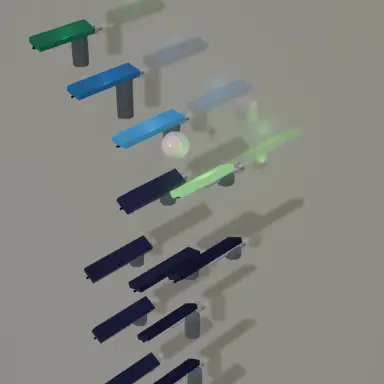
Each ball's place is worked out from the clock, with no physics steps to drift. The export renders the same positions, the same notes and the same realign as the preview, at any frame rate.

The global speed and Time Scale settings speed the whole piece up or slow it down, and the countdown follows them, so it always reads true.

Phase Bloom questions

Open Phase Bloom

Every control on this page is already in the studio. Load the mode and start from a working run.