BallEngine
Start free

Cut Count 3D:
1 cut vs 40 cuts

Growing rounds of knife cuts, then a burst into a pile of real pieces, in a seamless 20 second loop.
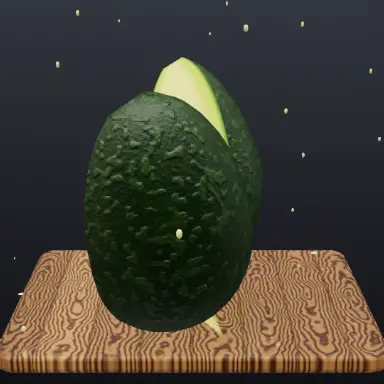
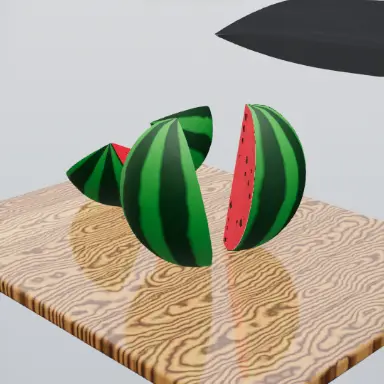
A frame from Cut Count 3D
Open the studio to run this mode live.

What Cut Count 3D does

An object floats over a board and is cut in growing rounds, 1 cut, then 5, 15 and 40, before it bursts and every piece falls and piles up on the board.

Cut Count 3D is the "1 cut vs 40 cuts" format. An object hangs in the air over a cutting board, and knives swipe through it in rounds that keep growing. Every swipe leaves a glowing seam on the skin, and the count turns to the accent colour when a round is complete.

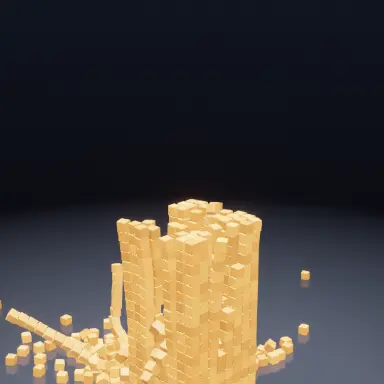
At the end of each round the object bursts and every piece falls as its own solid body, tumbling and stacking on the board. One cut gives two halves. Forty cuts give a pile.

A loop is exactly 20 seconds and runs seamlessly: it opens on the finished object wearing every line of the last round, and the outro traces those lines back on, so the last frame leads into the first.

How a run plays out

The exact sequence the engine runs in this mode, from the first frame to the moment the run resolves.
  1. 1.

    Rounds that grow

    Each round cuts more than the last: 1, 5, 15 and 40 by default, with other ladders to choose from.

  2. 2.

    Seams show every cut

    Each knife swipe leaves a glowing line on the skin, so the viewer can count the cuts as they happen.

  3. 3.

    The burst

    When a round ends the object comes apart and every piece falls as a free solid body.

  4. 4.

    The pile

    Pieces land, tumble and stack on the board, so the payoff grows with the cut count.

Every control in Cut Count 3D

These are the settings this mode adds on top of the shared physics, visual, audio, and export controls. Names match the studio sidebar exactly.

The object

  • Item
  • Skin
  • Inside

Twenty items, from fruit and vegetables to jelly, cheese and soap, each with its own skin, inside and sound.

The rounds

  • Rounds
  • Cut count text
  • Done color

The ladder decides how dramatic the jump is between the first and the last round.

Knives and board

  • Knife
  • Board

Motion blur ghosts follow each swipe so fast cuts still read clearly.

Sound

  • Cutting sounds
  • Landing sounds

Each item has its own cutting voice, and the pile lands with its own impacts.

Why Cut Count 3D videos hold attention

What keeps people watching this mechanic.

A built-in comparison

"1 cut vs 40 cuts" is a question viewers want answered, and they stay for the last round.

Countable progress

The seams and the counter make every round measurable, so the video always feels like it is going somewhere.

A physical payoff

The burst and the pile reward the wait with real tumbling pieces rather than a cut away.

A seamless loop

The ending flows into the opening, which keeps replays going on short video feeds.

Videos you can make in this mode

Each of these is a different configuration of the same mode, so one setup session produces a batch of related uploads.

1 vs 40

The classic ladder on one item. The clearest version of the format.

Item showdown

The same ladder on different items in a series, each with its own inside and sound.

Jelly and soap

Soft, glossy materials whose cut faces and piles look completely different from fruit.

Make your first Cut Count 3D video

The order that works. Following it out of sequence usually means retuning settings you already set.
  1. 1.

    Pick the item

    The inside decides what every cut face looks like, which is the detail viewers watch for.

  2. 2.

    Choose the ladder

    Keep the default 1, 5, 15, 40, or pick a ladder with a bigger jump at the end.

  3. 3.

    Let it loop

    Export whole loops of 20 seconds so the video replays without a visible seam.

Settings that make the difference

  1. Items with a strong contrast between skin and inside show the seams best.
  2. The final round is the payoff. Keep the earlier rounds short and let the last one run.
  3. Export in whole 20 second loops for a seamless replay.

What breaks a run

  1. A board colour close to the item inside, which hides the pile.
  2. Cutting the video mid-loop, which breaks the seamless replay.

Why the cut count format works

The format asks a simple question in its hook: what does one cut look like next to forty? The answer is only visible at the end, which gives every viewer a reason to watch the whole loop.

Making each cut visible as a seam is what turns a fast flurry into something countable. The pile at the end is the reward, and because every piece is a real solid body, no two piles land the same way.
Cut Count 3D questions

Open Cut Count 3D

Every control on this page is already in the studio. Load the mode and start from a working run.